
Local processing
Originals, patches and results stay in your browser. Their contents are not uploaded to a server.
Browser-based xdelta patcher
Choose the original file required by your patch and an .xdelta file. Patching runs in your browser, without uploading your files.
Your original. Your patched result.
This browser tool applies the changes in an .xdelta patch to its matching original file. It creates a separate result for you to download, leaving your original unchanged.
A translation, ROM hack or update may need a particular region or revision. Start with the exact file named by the patch creator. Learn what an xDelta patch contains.
Two files in. One result out.
The original supplies existing data.
The patch tells the tool what to change.
Getting started
Check the creator’s instructions, then select the required original and its xDelta patch.
Check the output name, apply the patch and keep this tab open while it runs.
Find the new file in your browser’s downloads. Use Download file if you need to try again.
Built around your files
Useful controls, right where you need them.
Originals, patches and results stay in your browser. Their contents are not uploaded to a server.
Select the file your patch needs, including unfamiliar names. The patch input stays specific to xDelta.
A single suitable entry is extracted automatically. Choose the correct file when an archive contains several.
The patch name suggests an output filename. Edit the name or extension to match the creator’s instructions.
Validation stays on by default. Clear errors help you check the source before considering a checksum bypass.
Apply patches in your browser without installing this tool. Keep the result button available until your file is saved.
Supported original files
The original can be a ROM, disc image, another file type or a file without an extension. Changing its name does not change its contents or make it compatible.
Choose .xdelta for the patch, or a ZIP containing one. Other patch formats need a different tool.
512 MiB output / extracted-file limit. Browser memory can impose a lower limit, especially on phones. Accepting a filename does not guarantee every patch or file size will work.
Guides & articles
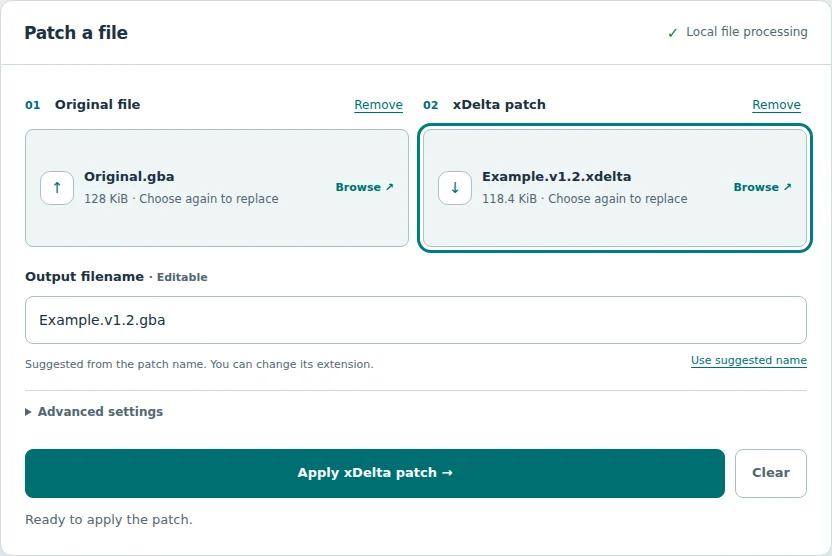
Select your original and patch, choose ZIP entries and save the output.
Read the guide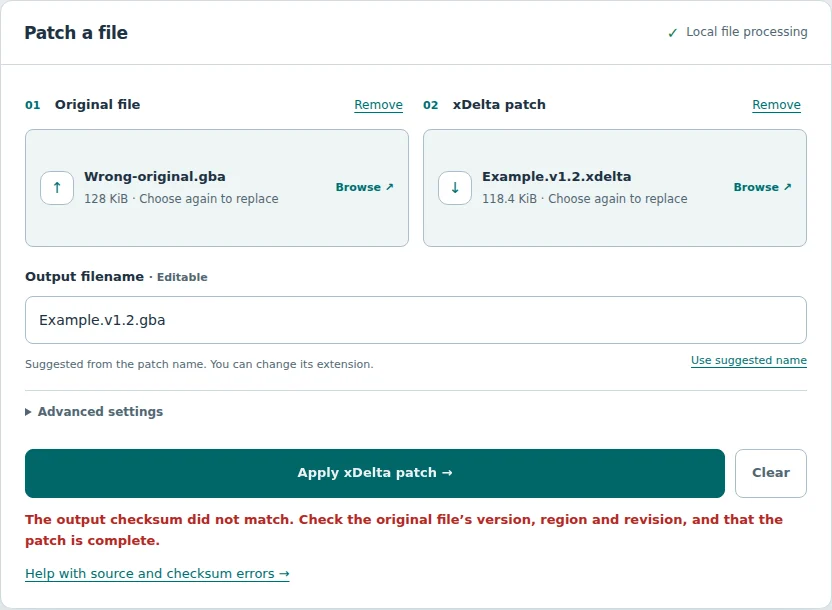
Check source versions, file hashes and ZIP selections when validation fails.
Read the guide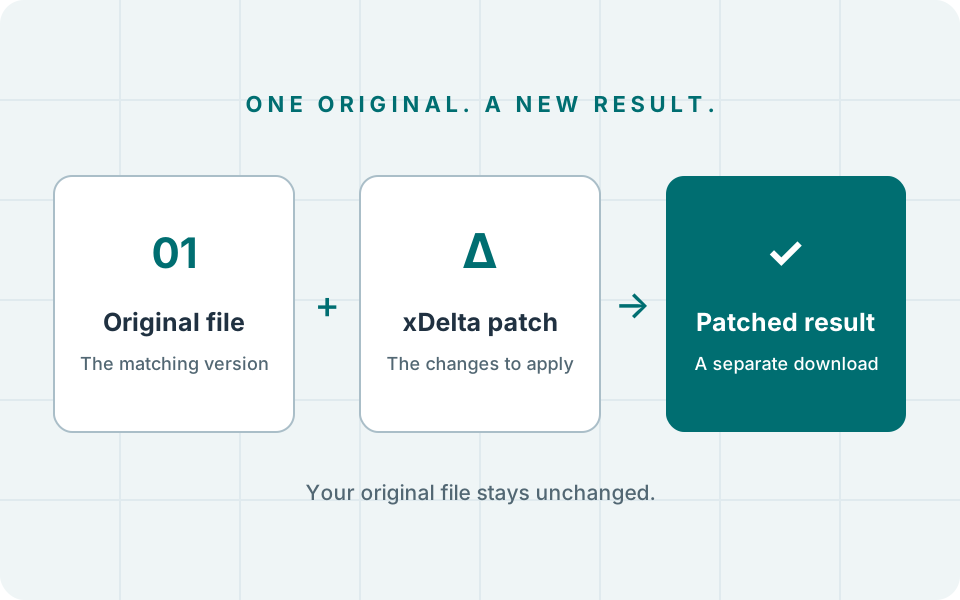
Understand how a patch and its matching original produce a new file.
Explore the articleFollow the patch creator’s required region, revision and file format. Some patches need an unmodified original; an update may need a previously patched version. Compare a source hash if the creator provides one. A similar filename is not enough.
Yes. A single suitable source file or .xdelta patch is extracted automatically. If several files remain, choose the right entry. Common archive metadata is ignored; a lone README or license needs an explicit choice. Use Choose a different file inside to reopen an original ZIP, or Use ZIP file itself only if the patch expects the archive’s raw bytes.
The result did not match the checksum stored in the patch. Check the required original and the patch download before bypassing validation. Renaming the source will not fix a mismatch. Work through the source checks.
Your browser controls the save location. Check its download list or chosen folder. If the automatic download did not start, use Download file. Keep the tab open until the result is saved.
The tool limits patched output and each extracted ZIP entry to 512 MiB. An original with a larger size can be selected directly, but that does not guarantee decoding will fit in memory. For a target above the limit, use a desktop xdelta patcher.
No file contents, filenames or hashes are uploaded by the patcher. Selected files and the result stay available in the current page until you clear or replace them, or leave. Website analytics are separate; see the Privacy Policy.
It means processing finished. Check any expected output hash and follow the creator’s instructions for the result and emulator. A successful decode, especially with validation bypassed, is not a universal compatibility check.